
Ambient Workspace for Windows
Calm ambient music played by your mouse and keyboard while you work.

Not the same as the web player. The player on this website streams a mix of recorded ambient tracks. The Windows app has no tracks at all: it composes music live from how you use your computer, so what you hear follows your own rhythm and is never the same twice.
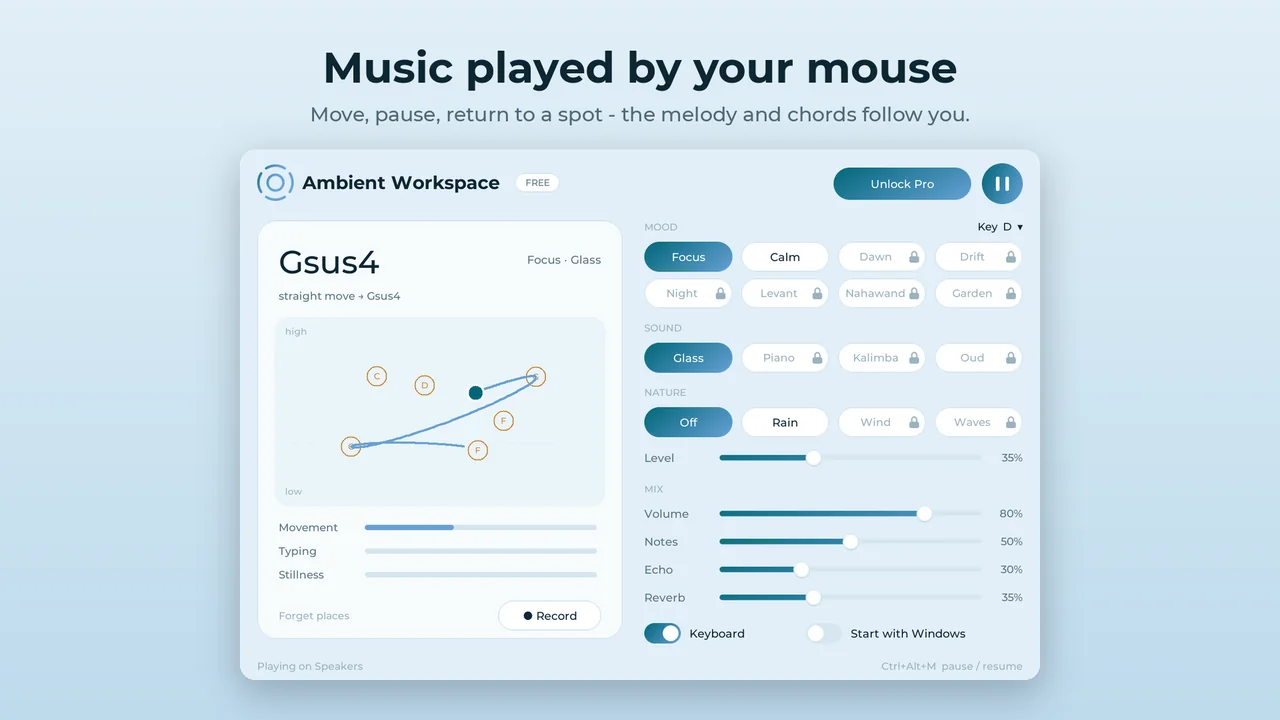
How it works
Leave Ambient Workspace running in the background and carry on working. It listens to the rhythm of your mouse and keyboard and turns it into soft, slowly changing music.
Move the mouse
Every spot on the screen has its own note: further right is higher, and so is further up. A gentle melody follows the pointer, and how fast you move sets how often it speaks. Each gesture moves the harmony, and when you stop on a spot you stopped on before, its chord comes back.
Click
A left click rings a bell at the pointer's pitch, and pressing and holding swells into a sustained tone. A right click adds a deep bass and moves to a new chord.
Type
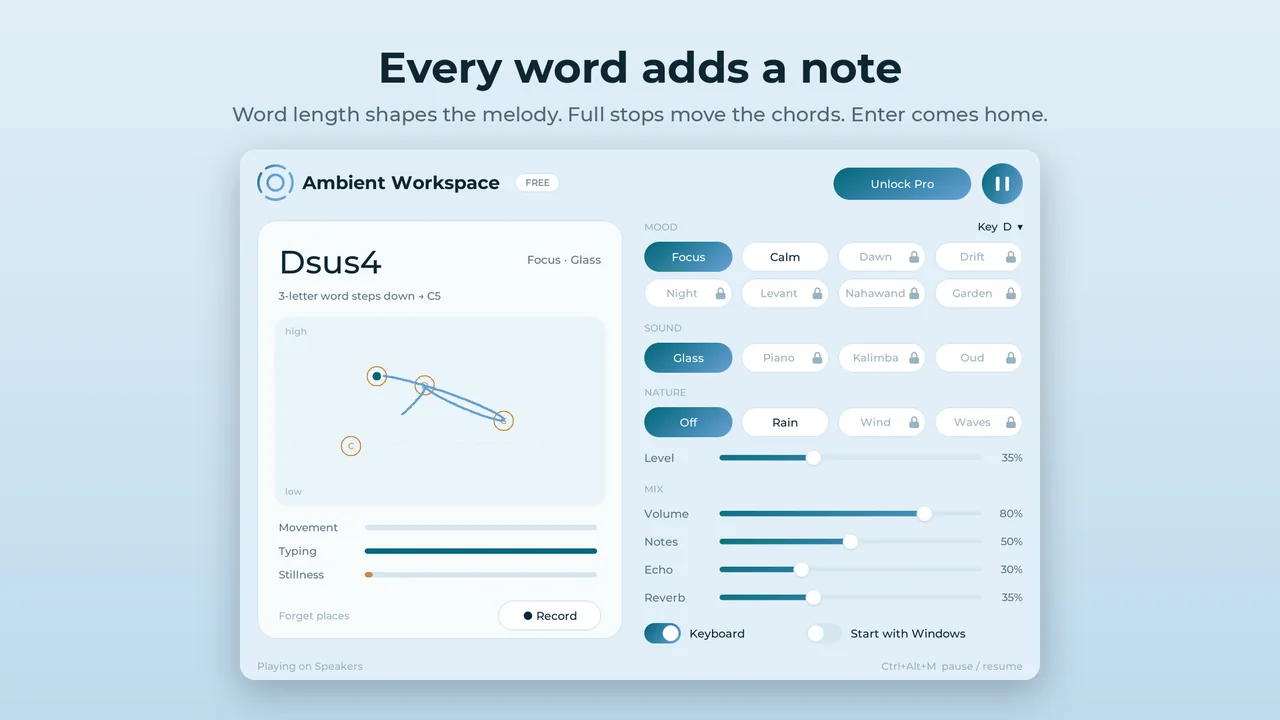
Every word adds a note. Short words step, longer words skip and long words leap, so a sentence turns into a melody. A comma lands on a chord note, a full stop rings out and moves to the next chord, and Enter brings the phrase home. You can switch typing off at any time.
Rest
When you pause to read or think, the music thins out and settles into a single calm tone, then wakes up again as soon as you move.
Features
- Music made live from your own activity, never a playlist and never the same twice
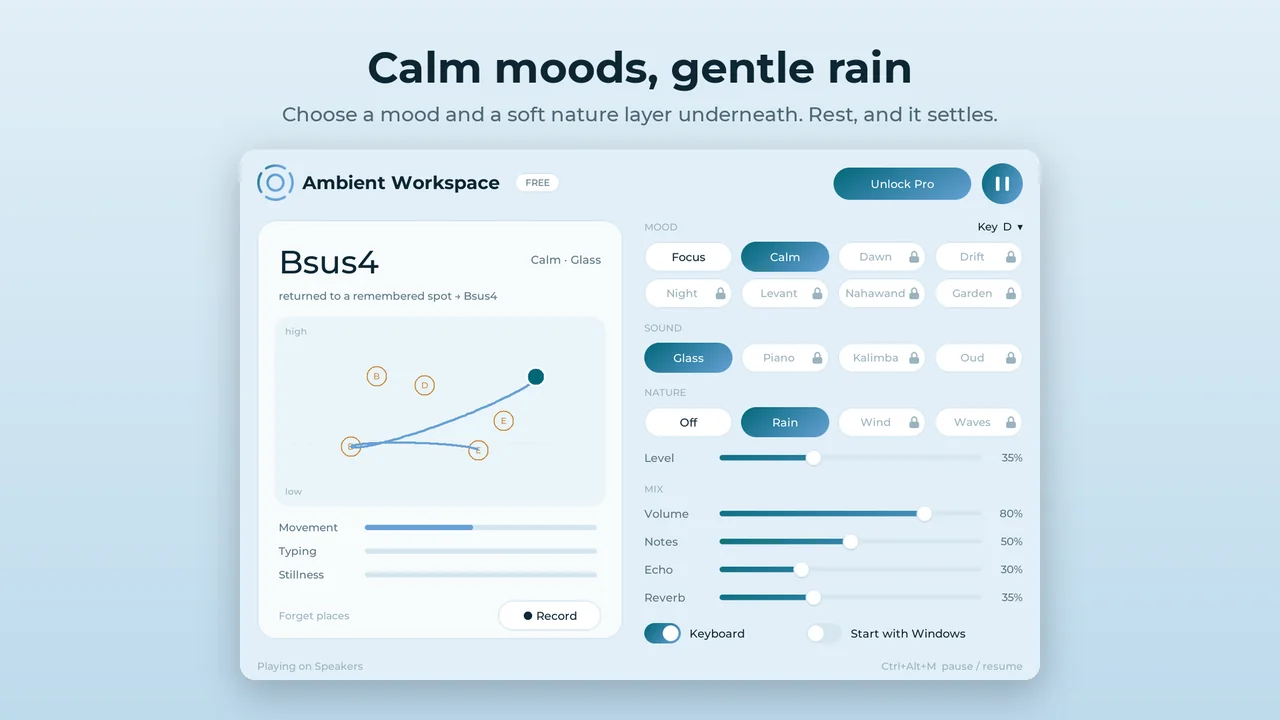
- Moods that set the scale and tempo, sound sets and an optional nature layer underneath
- Sliders for volume, how many notes play, echo and reverb
- Runs quietly in the tray next to the clock; Ctrl+Alt+M pauses or resumes from any app
- Sharp on high-resolution screens; native on both Intel/AMD (x64) and Arm64 PCs
- No account, no ads, no internet connection needed
Free and Pro
Free
- The full music engine: mouse, clicks and typing
- Focus and Calm moods
- Glass sound
- Rain layer
Pro (coming in an update)
- 6 more moods: Dawn, Drift, Night, Levant (Hijaz), Nahawand and Garden
- Piano, Kalimba and Oud sounds
- Wind and Waves layers
- Save your session as a WAV file
Pro will be a one-time upgrade inside the app through the Microsoft Store, with no subscription.
Private by design
The app reads where the pointer is and when buttons are pressed. If typing is on, it only notices that a key was pressed and sorts it into one of six kinds: a character, space, comma, full stop, Enter or Backspace. It never knows which letter you typed and ignores shortcuts made with Ctrl, Alt or the Windows key.
Nothing you type or click is stored, and nothing is sent anywhere: the music is made entirely on your computer. Read the full privacy policy.
Requirements
- Windows 10 (version 2004 or later) or Windows 11
- An Intel/AMD (x64) or Arm64 PC
- A mouse or touchpad, and speakers or headphones
Questions
Is the app the same as the web player?
No. The web player streams recorded ambient tracks. The app has no tracks: it composes music live from your mouse movement, clicks and typing.
Is it free?
Yes. The free version has the full engine with two moods, the Glass sound and the Rain layer. Pro will add more moods, sounds and recording as a one-time purchase.
Does it record what I type?
No. It never knows which key you pressed, stores nothing you type and sends nothing over the internet.
Does it need an internet connection?
No. Everything happens on your computer.
How do I pause the music?
Press Ctrl+Alt+M from any app, or use the pause button in the window. Closing the window keeps the app playing in the tray; right-click the tray icon to quit.
Prefer recorded ambient tracks in your browser? Open the web player.